

Registering a HillingdonFirst card
Once you’ve received your HillingdonFirst card, make sure to register it online. That way, if your card is ever lost, damaged, stolen or stops working, you can easily request a replacement.
Please note: Only 1 HillingdonFirst card can be registered to an individual's My Account.
New My Account
If you've signed up for our new My Account, follow the steps below to link your HillingdonFirst card to your new account.
- Log in or sign up for a new My Account.
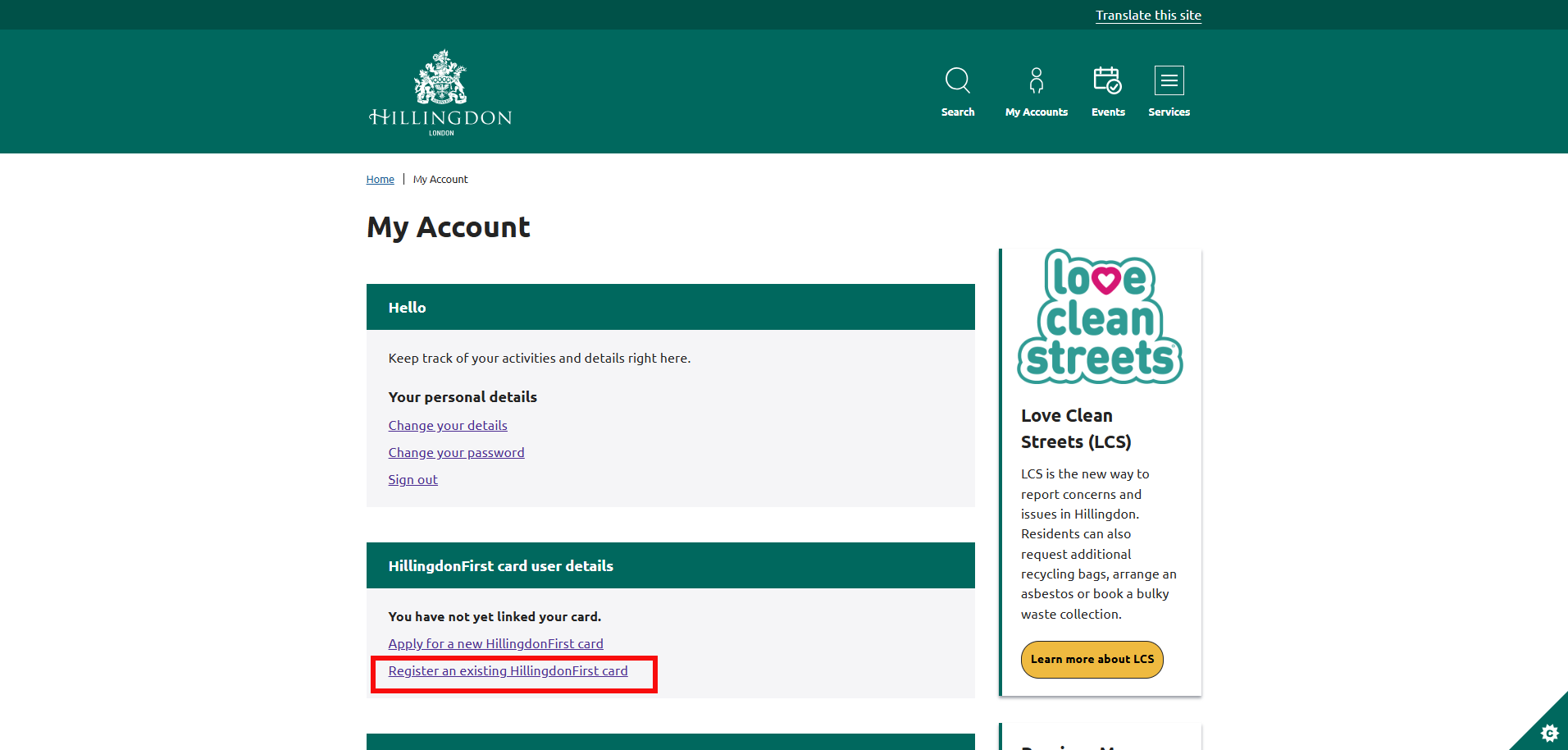
www.hillingdon.gov.uk/myaccount - Once logged in, scroll down and select the 'Register an existing HillingdonFirst card' link.
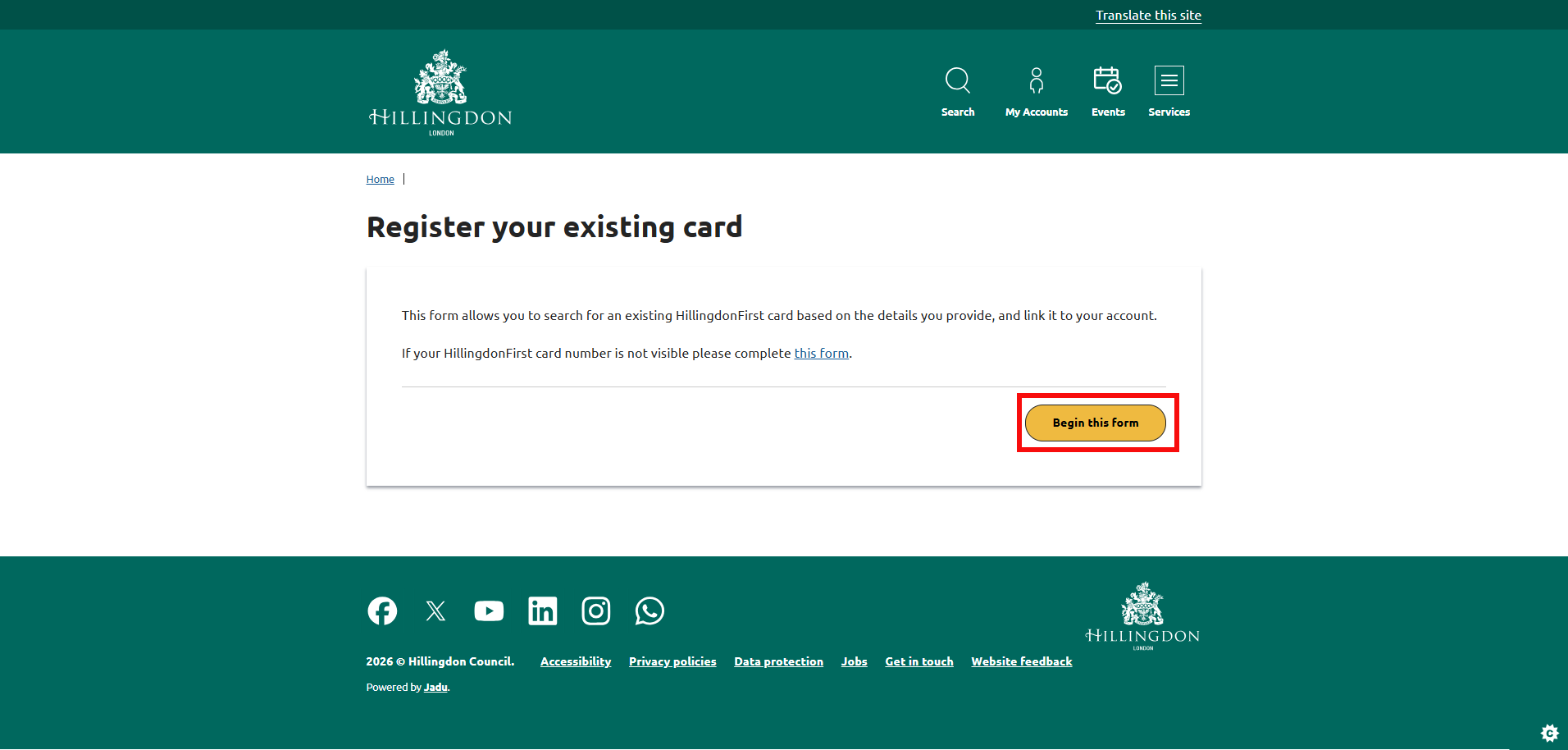
- Select the 'Begin this form' button.
- Enter your details, including your name.
- Check your My Account shows the correct address for you and select the 'Next' button.
- Enter your HillingdonFirst card number.
Please note: If the numbers on your HillingdonFirst card are no longer visible or have been rubbed off, you can still log into your previous My Account and take the digits from there. - Check all the information is correct, then select the 'Submit form' button.
- You will see a confirmation message that your request has been submitted.